Choose the right tool, design surveys, build and test your app, deploy to the field, train your team, and sustain your program for the long term.
By Sarah StraussPublished Oct 2025Updated Jul 2026Reading time 20 min
Chapter 1
Define Your Objectives and Data Requirements
Before you pick a tool, get clear on what you're trying to accomplish and exactly what data will prove it. Skip this step and even a well-built app falls short of the outcome you actually need.
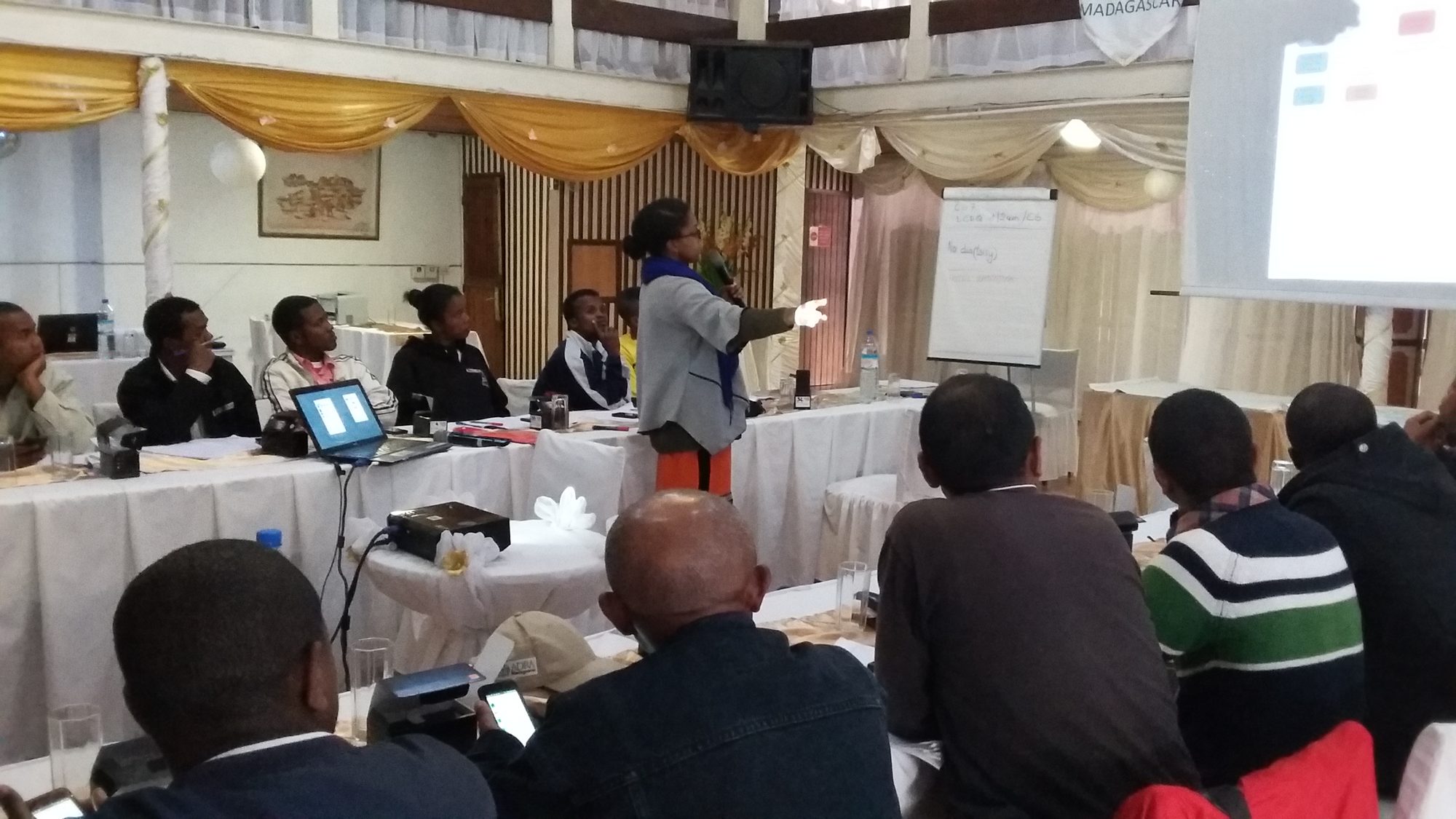
Defining project objectives at a program planning session in Madagascar.
Start With a Clear Objective
The most common mistake we see is an organization launching a data collection program before its project objectives are pinned down. You can design a sophisticated form loaded with logic and validation, but if it doesn't support the outcome you're after, its value falls short. Write your objective down, ideally as a simple results framework that maps your goal to the intermediate results that add up to it, so anyone on the team can reference it throughout the program.
Dimagi's Chief Services Officer, Rowena Luk, learned this the hard way early in her career, building a consultation platform for specialist doctors in Ghanaian hospitals. The project focused on the small share of patients who needed specialist referrals, but doctors kept pointing back to a bigger problem: most patients needed better continuity of care, not access to a specialist. The objective the project had been built around wasn't the one that actually mattered to the people it served.
Problems that matter will draw the attention of the Minister of Health or the Country Director. They will not just look at the results. They will demand them.
Rowena Luk, Chief Services Officer, Dimagi
Identify Your Data Requirements
Once your objective is set, list what data you actually need. Most programs split their data into two categories:
Program performance metrics show how well you're meeting your objectives, such as beneficiaries reached or outcomes improved.
Worker performance metrics show how efficiently your team is operating, such as visit frequency, time to submit data, or cases handled per worker.
For each variable, note whether it's quantitative or qualitative, whether it needs to be tracked over time (which requires case management), and who else needs to see it before you design a single question.
Build a Data Collection Plan
A data collection plan maps how information flows from its source to the insight you need: who collects it, how, where it's stored, and who uses it. Two formats work well: a visual workflow diagram that's good for spotting gaps, or a plan outline (a table of variables, sources, and destinations) that's good for detailed tracking. Whichever you choose, it should answer one question for every data point you list: how will this actually be used to improve the program?
Chapter 2
Choose Your Method and Tool
The right method depends on your data requirements, your environment, and your scale, not on what's trendy. There's no one-size-fits-all solution.
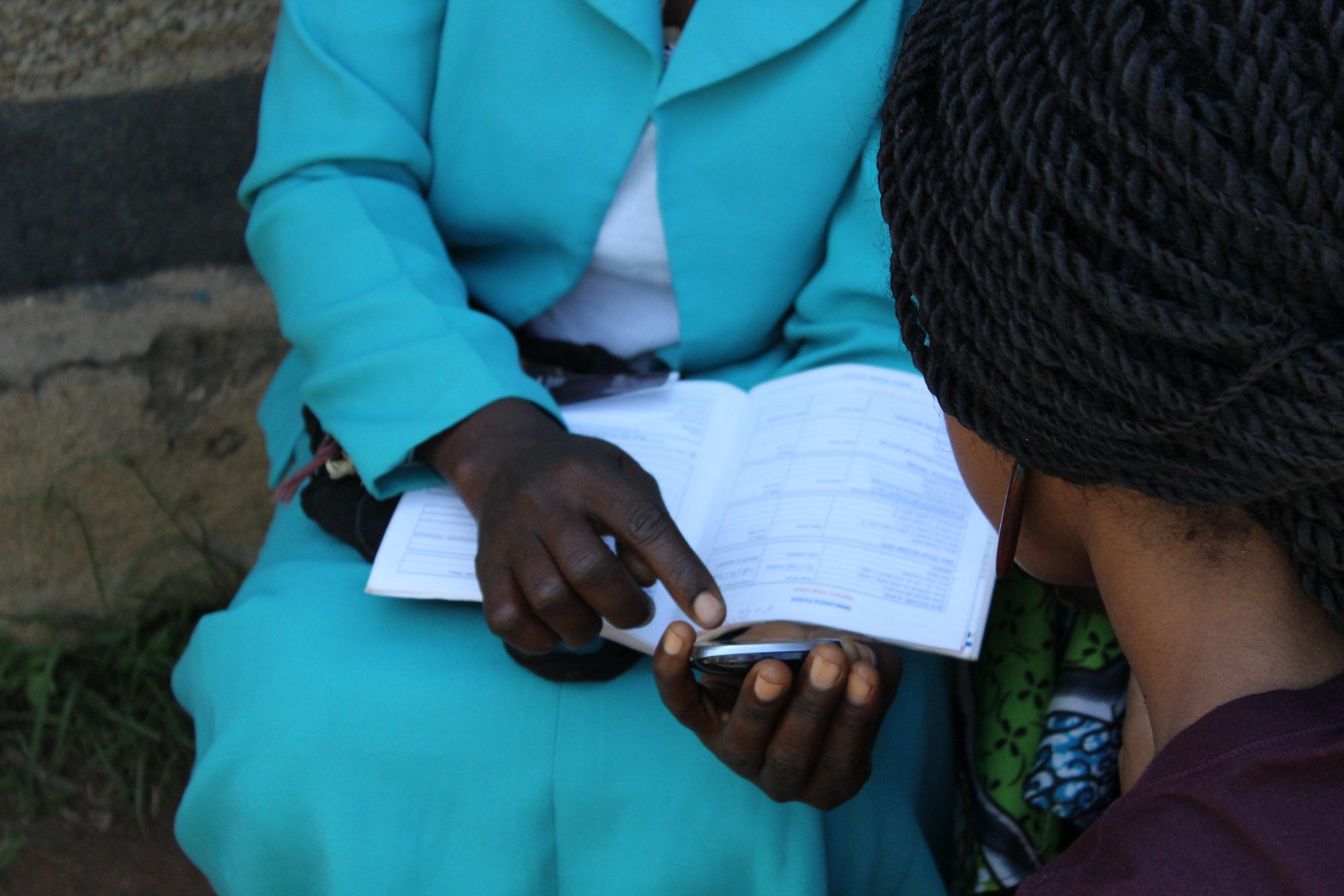
Paper and mobile records side by side in the field. Most programs run both during a transition, not a clean switch.
Compare Your Options
Method
Best for
Watch out for
Mobile
Repeat visits, complex logic, offline field work, data that needs to scale
Upfront setup: platform, devices, connectivity plan
Paper
One-off or very small surveys, no budget for devices
Slower entry, higher error rates, hard to update in the field
Interactive voice response
Audiences with phone access but low literacy or connectivity
Qualitative depth, exploratory questions you haven't thought to ask
Time-intensive, harder to standardize at scale
Observation
Behavior you can't reliably self-report
Time-intensive, risk of observer bias
Account for Your Environment
Before you commit, ask what languages are involved, how reliable connectivity is in the field (not just at headquarters), how digitally literate your workers are, and how accessible your data sources will be. One World Bank study found that switching from paper to mobile data collection cut average survey costs by about 71%, mostly by eliminating manual data entry and reprinting, but that saving only materializes if the tool actually fits the conditions your team works in.
Connectivity gaps are rarely as absolute as they look on a coverage map. On a field visit in a remote part of Zambia, a Dimagi program team hit a village with no signal on any carrier, and no easy way to reach one, on a program that depended on syncing data daily. A local health worker overheard the team debating the problem and had an answer ready.
Do you see that ant hill in the distance? That is where we get our reception. Every day, at five o'clock, I will go stand on that ant hill and hold my phone up in the air to synchronize. It will be fine.
Community health worker, describing a well-known local workaround to a Dimagi field team in Zambia
The workaround was already common knowledge in the village. The lesson generalizes: local workers usually know the terrain, literal and otherwise, better than a coverage map does, so build time into your planning to ask them before assuming a location is a dead zone.
For a deeper look at designing the rest of your workflow around this reality, see our guide to how to collect data offline.
Consider Storage and Security
Some sectors, especially health data, require special handling: de-identification, access controls, and clear retention limits. Confirm what your sector and local regulations require before you collect a single record, not after.
What This Looks Like at Scale
"Like any other data collection program, start with the data you want, and then find a tool that allows you to collect that data," is how one of Dimagi's own solution engineers puts the decision. In practice that means asking a prospective platform whether it has current projects running at the scale you're planning for, not just the scale you're launching with. At Dimagi, keeping a platform reliable at scale takes an ongoing team, not a one-time build. CommCare runs on roughly 15 full-time developers, including two to three engineers dedicated specifically to keeping production environments online, up to date, and bug-free. Ask any vendor what their equivalent looks like.
Chapter 3
Design Your Surveys
A well-designed survey saves you the rework of a badly designed one. Most teams jump straight into a form builder, recreating their paper surveys question by question, and end up with an app field workers don't understand.
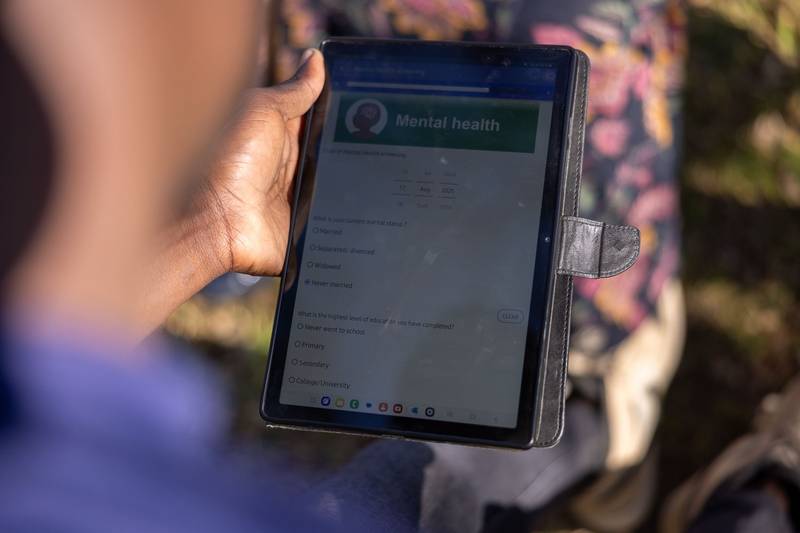
A structured survey form on a tablet, with validation and skip logic built in.
Map the User Journey
Identify your field workers and what they're actually trying to accomplish at each visit. Consider a community health worker visiting households: they might register new families, run routine checks, screen for complications, refer critical cases, or track ongoing treatment. Each of these is a different workflow with distinct data needs, and each shapes your app's structure differently.
Design for Data Quality From the Start
Start with your end goal: what indicators do you need? Sketch a mock dashboard using demo data, then work backward to determine which questions actually generate that data. This prevents collecting information you don't need while making sure you capture everything you do.
Build data quality controls directly into your forms:
Validation rules that catch errors immediately, not months later during cleanup.
Consistent naming conventions across every question. Use descriptive, lowercase Question IDs with underscores (date_of_birth, not dob) so anyone can read your data structure at a glance.
Case management so information is saved once and referenced across forms, instead of asked for repeatedly.
A cultural bias worth watching for
Icons and images can carry meaning you didn't intend. On a health project in Ethiopia, a form used the Red Cross symbol to mark a hospital, standard practice in most parts of the world, but local respondents read the icon as the sign for a butcher shop. Nothing about the question was wrong; the visual shorthand just didn't translate. Test icons and imagery with real users in the target context before you scale a survey, not after.
Choose Your Mode of Communication
Decide how workers will actually interact with the survey: text, audio prompts, images, or a mix. If you're designing for low-literacy field workers, prioritize visual cues and simple navigation over dense text. The most sophisticated form fails if the person using it can't operate it confidently.
Delivery format matters just as much as wording. If respondents have reliable smartphone access and your survey is short, SMS can work well. If you're not sure how many respondents actually have a phone, an SMS-only survey can quietly bias your sample toward whoever does, often skewing toward male heads of household in some regions. For longer, open-ended responses, a verbal interview entered into a tablet usually beats a text-only format.
Chapter 4
Build Your App
With a no-code platform like CommCare, a first app can take shape in about 15 minutes once you understand the basics.
Building on a no-code platform means your team can iterate on the app directly, without waiting on a developer.
Set Up Your Foundation
Create your project in a no-code app builder and decide between survey-style data collection (simple forms, no ongoing tracking) or case management (following people or entities over time). For most field programs, case management wins: workers register someone once, then run repeat visits without re-entering basic information. A case can be anything you want to track: a patient with follow-up visits, a farmer's field over a growing season, a classroom following a curriculum. Because case data lives on the phone, workers don't need a connection to fill out follow-up forms for the same case, which makes it invaluable in low-connectivity environments.
Build Your First Form
Add a question, choose its type, and enter your display text. The platform generates a Question ID automatically, but customize it to something meaningful for clean exports later. Add skip logic so workers only see relevant questions, and build calculations that run automatically instead of by hand. These are the features that turn a basic form into a tool that actually guides workers through a protocol.
Plan for Iteration
Draft a versioning plan and create checkpoint builds while you work, noting the date and who made the change, so you have a stable point to revert to if something breaks. Your first version won't be perfect, and that's fine. Budget time to gather feedback from field workers after the first couple of weeks, then refine and push updates. Fast iteration is one of mobile's biggest advantages over paper.
Working With More Than One App Builder
Most tools only let one person build in the app at a time, so once more than one teammate is involved, versioning conflicts become the main risk. Four practices that hold up across Dimagi's own projects:
Assign clear workstream owners so it's never ambiguous who's building what, and when.
Make small, frequent builds rather than one large one. It's much easier to spot and fix a bug in a build with ten changes than one with a hundred.
Run a short daily or every-other-day stand-up so builders stay in sync without needing a meeting to resolve a conflict.
Keep one centralized place for user feedback, so every builder sees the same list of what's confusing or broken, not a scattered set of side conversations.
Chapter 5
Test Your App
Testing isn't a final step before launch. It's what keeps small mistakes from becoming expensive ones once you're in the field.
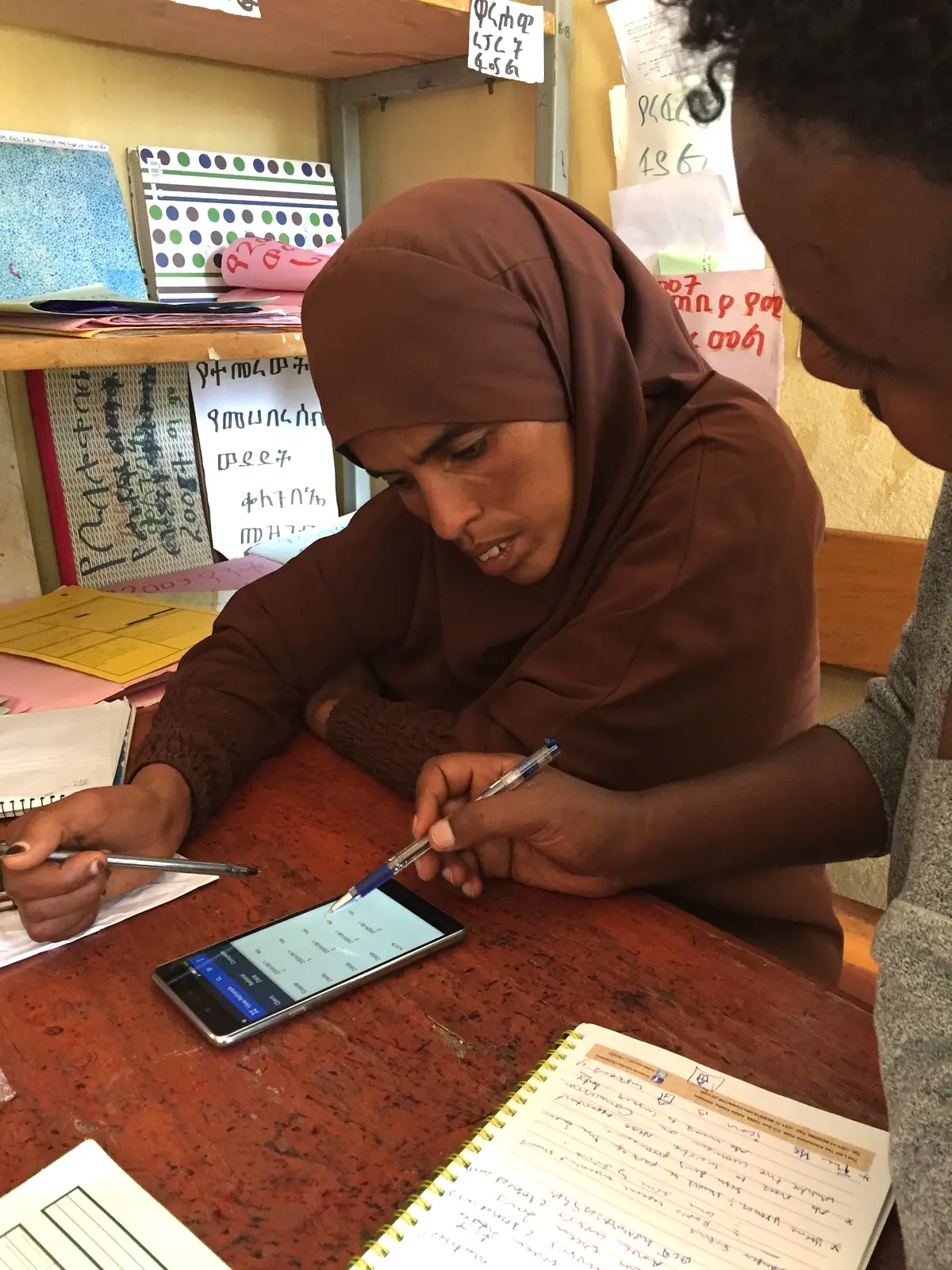
A health worker in Ethiopia reviewing records on a phone during testing.
Run a QA Process
Before any field deployment, walk every path through the form: every skip pattern, every validation rule, every calculation. Confirm data lands where you expect it, in the format you expect, using dummy data rather than the live server. A good rule of thumb: whoever built a feature shouldn't be the only one to test it. A second set of eyes catches what a builder's own assumptions tend to hide.
Your app is doing an important job, helping a frontline worker do hers. When you find bugs, it means she doesn't have to.
Test for Usability
QA confirms the app works. Usability testing confirms your workers can actually use it. Watch a real field worker complete the form without prompting. Where do they hesitate? What do they misread? Fix those issues before a wider rollout. A representative test group matters here: include high- and low-performing workers, high and low digital literacy, and both rural and urban users, since any one of those groups alone will miss problems the others would hit immediately.
Run a Pilot
Deploy to a small group under real conditions before scaling to your full team. A pilot surfaces connectivity issues, device problems, and workflow gaps that testing in the office never will. And a pilot's value doesn't end once you scale: on CRS's ReMiND project in India, an initial cohort of 10 ASHA community health workers piloted CommCare and proved out the approach. When the program scaled to more than 250 users, that same original group of 10 stayed on as advisors and pilot testers for every new feature and process the project rolled out afterward, giving the team a fast, trusted read on changes before they went to everyone.
Chapter 6
Deploy to the Field
Building the app is half the job. Getting it into the right hands, on the right devices, is the other half.
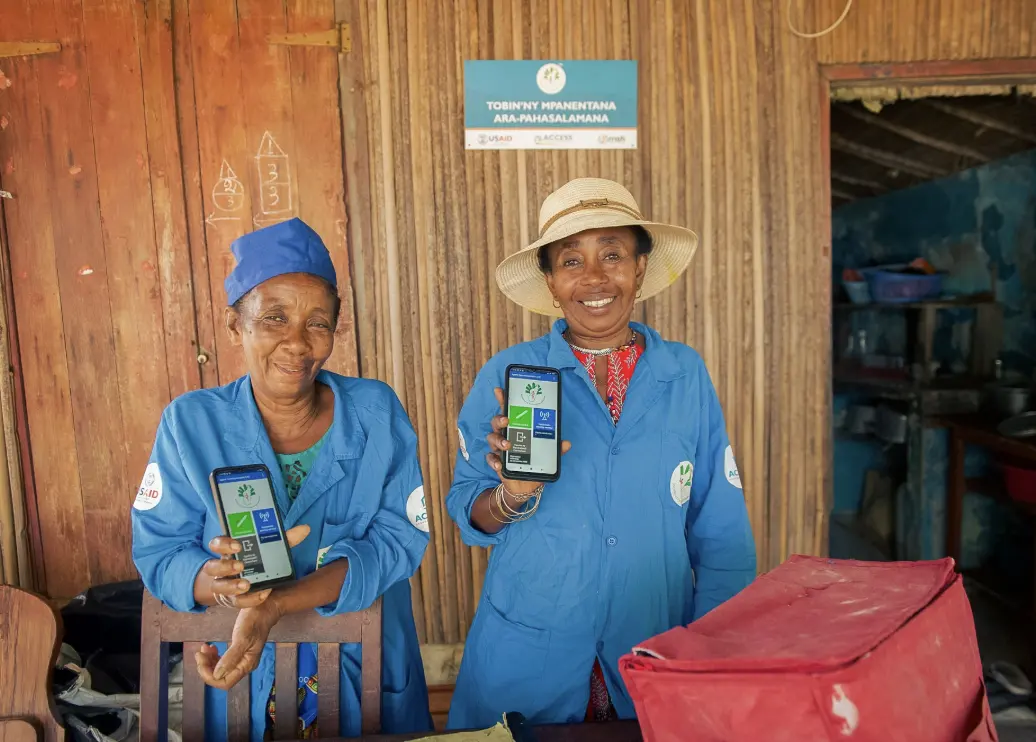
Community health workers in Madagascar with the app deployed and running.
Choose the Right Device and Network
Match the device to your environment and budget: screen size, battery life, ruggedness, and offline storage all matter. Confirm network coverage where workers will actually use the app, not just at headquarters, and choose a network provider based on real field conditions rather than the cheapest plan on paper.
Device choice gets harder as you scale. On one Dimagi-supported program spanning seven Indian states, five different phone models ended up in use across the project, each state having procured its own hardware. After early rollouts ran into trouble (one model burned through battery too fast, another slowed down after just a few months of use), the team built a standard checklist of 42 requirements every device had to meet before approval. That's the kind of upfront filter worth building for any program planning to scale past its first launch, covering things like operating system (CommCare, for instance, runs on Android only), internal memory, and battery life.
Prepare and Manage Devices
Set phone usage policies (personal use, security, replacement process) before handing out hardware, not after. Create mobile worker accounts, separate from web dashboard logins, so you can control who accesses what data and track individual performance.
Budget real time for device prep. A single device takes a few minutes to set up, but factor in an OS update and app install and it adds up: at scale, some programs report up to 45 minutes per device. For a rollout of a few hundred devices, that's weeks of work, so assign one person to own device preparation rather than leaving it to whoever has a spare afternoon.
Sizing a data plan
A single form submission typically runs 7 to 10 KB. Multiply that by forms per worker per day, then by working days per month, to estimate your program's real data need, on top of app updates and multimedia. Many CommCare projects run comfortably on 100 MB or less per user per month. Where possible, choose a provider that bills by kilobyte rather than by time, and confirm their coverage with local workers or shopkeepers rather than a national coverage map alone.
Publish and Distribute Updates
Publish a version so your app builder makes it available to users, then generate a barcode or app code workers scan to install it. Every time you release changes, publish a new version, since a version is a complete snapshot and users only receive updates once you publish one. Workers get a notification when a new version is available and can update in one tap.
Chapter 7
Train Your Team
The best app fails if the people using it aren't set up to succeed with it. It's not the app that solves your problems: it's the people who use it who matter most.
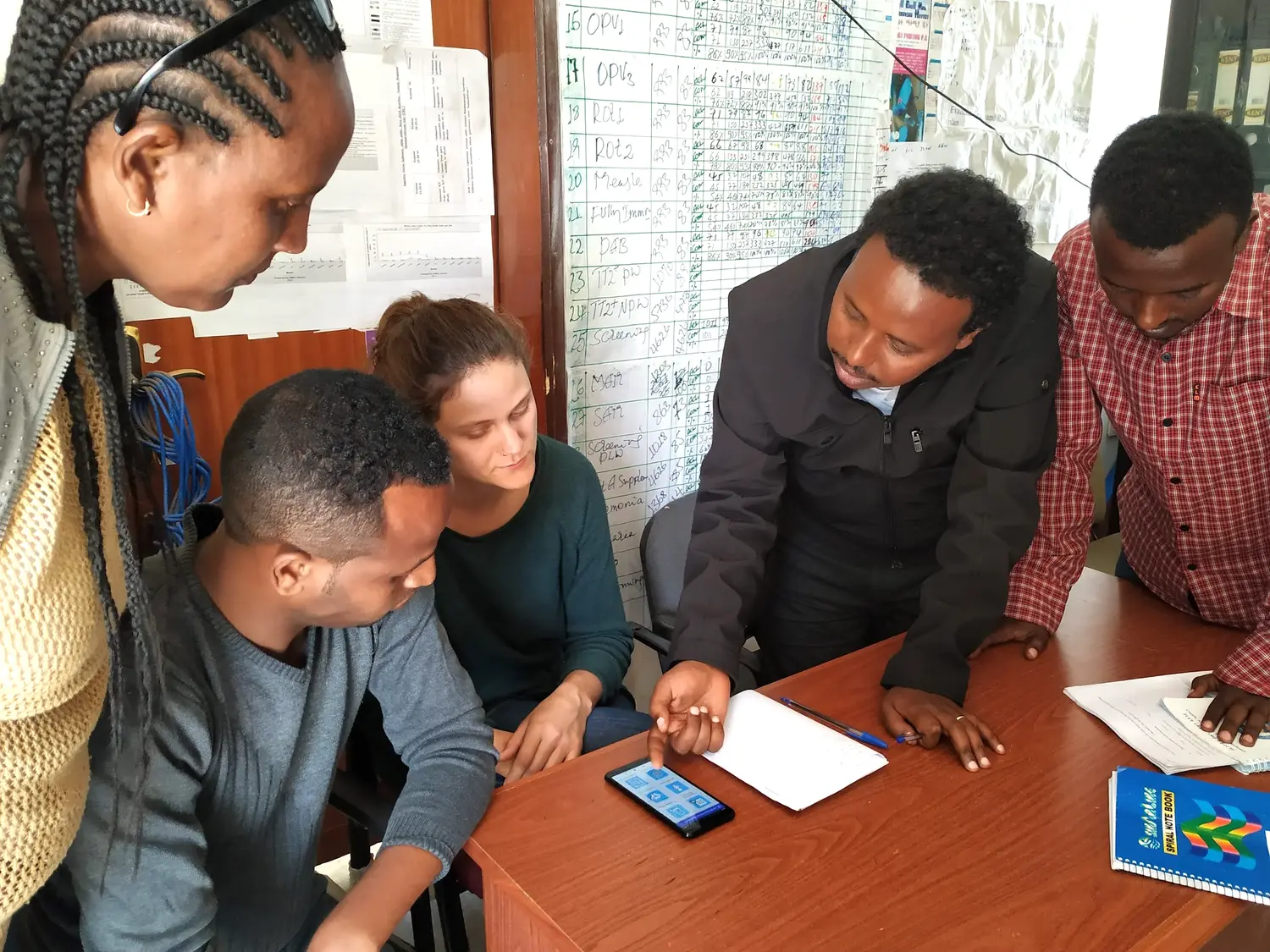
A field team reviewing an app together in Ethiopia, the kind of session refresher trainings are built on.
We'll be straightforward about this: launch is often the hardest part of a program. An estimated 70% of the World Bank's information and communications technology for development programs have failed outright, and across more than 500 projects, Dimagi has seen the same two causes come up again and again: low digital literacy among the frontline workers a tool is built for, and a gap between how the person who designed the tool understands it and how the person actually using it in the field does.
Choose the Right Training Method
Options range from in-person workshops to remote sessions to self-guided walkthroughs built into the app itself. Match the method to your team's location, literacy level, and comfort with mobile devices. It also helps to match the method to how people learn: some workers do best watching a screen walked through step by step, others from having the app explained to them verbally, and others from getting their hands on the device right away and learning by doing. Most training sessions end up blending all three rather than picking just one.
Deliver and Reinforce Training
Cover the "why" as well as the "how." Workers who understand what the data is for tend to collect it more carefully. Show them results from a pilot or comparable program and let that make the case, rather than just asking them to trust the new process. Put together a short training guide workers can reference later, and plan refresher sessions rather than a single kickoff and nothing after. Dimagi's own field managers have found that the small things matter here too, building an easy rapport with trainees (a bit of candy at the session doesn't hurt) tends to make people more comfortable asking the questions that actually surface problems.
Introduce New Features Deliberately
When you roll out an app update, explain what changed and why before workers run into it in the field. A one-line changelog message beats a silent update every time.
Chapter 8
Manage Your Data and Sustain Your Program
Data collection doesn't end at submission. What happens next determines whether the whole program pays off.
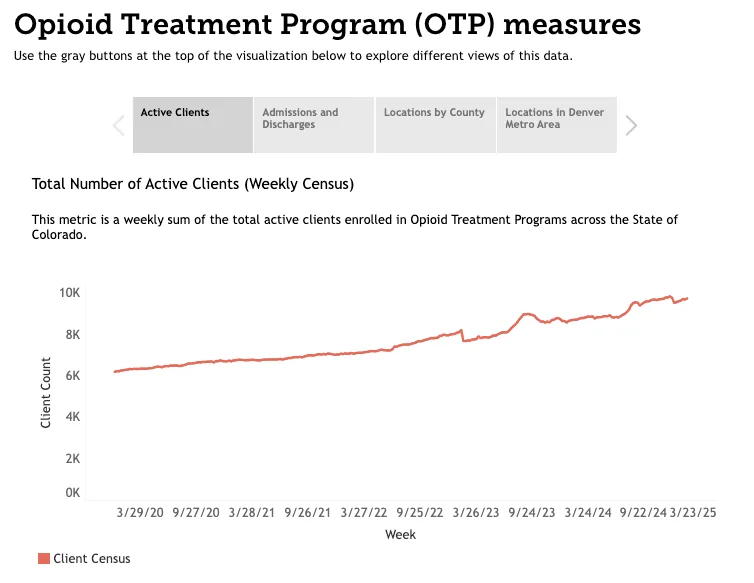
A program dashboard tracking active clients over time, the kind of view a sustained data collection program builds toward.
When you have to map out your project from square one, it opens your eyes to gaps you didn't see earlier and that technology may not be able to fix. All of a sudden, the conversation may shift from "What do we want this technology to do" to "Wait, is the problem actually in our workflow?"
Gillian Javetski, COO and Co-Founder, TecSalud
Get Your Data Where It Needs to Go
Connected devices submit encrypted forms directly to the server. Offline forms store locally and sync automatically once connectivity returns, so data reaches your dashboard without manual intervention. Configure dashboards for real-time visibility instead of waiting on month-end reports, and export clean data, using the careful naming conventions from your design phase as column headers, into Excel, analytics platforms, or the systems you already use.
Once data is flowing, supervisors need a way to actually see it. In CommCare, Worker Activity Reports give supervisors a broad-strokes view of what their team is doing, forms submitted per worker per day, without them having to chase anyone down for an update. That shift alone tends to change what a supervisor's job looks like: less time tracking data down, more time coaching the workers who need it most.
Build a Support System
Give supervisors a clear role: reviewing submissions, coaching workers, and flagging issues early, not just checking that a box got filled in. Set up a channel for workers to report problems and get quick answers, and consider light incentives that reward consistent, high-quality app use.
Match the size of your support system to the size of your program. A single designated support person can comfortably handle a 50-user pilot. A national-scale rollout with thousands of users usually needs something more structured, like district-level help desks or a central call center, staffed by people who know the application, have admin access to look into problems, and can communicate clearly under pressure.
Common maintenance issues to watch for
App versions drifting out of sync across a team's devices
Forms that were never updated after a workflow changed
Devices running low on storage or battery in the field
Feedback channels that exist on paper but nobody actually checks
Keep Improving With Feedback
Build a simple channel, a form or a regular check-in, for workers to flag what's confusing or slow. The programs that sustain mobile data collection long term are the ones that keep listening after launch, not just at it.
It's a pattern Dimagi has seen play out too often: a team builds a strong app, launches it successfully, and lets it quietly fade after the pilot ends. All the work that went into getting there deserves better than that. Maintaining the app, supporting the team using it, and actually acting on their feedback is what turns a successful pilot into a program that keeps delivering.
Frequently Asked Questions
What is mobile data collection?
Mobile data collection is gathering information with a smartphone or tablet instead of paper, through a form-based app that validates entries, applies logic, and works offline until it can sync.
How long does it take to build a mobile data collection app?
With a no-code platform, a first working form can take shape in about 15 minutes. A production-ready app, with logic, testing, and training, typically takes a few weeks depending on complexity.
Do I need internet access to collect data with a mobile app?
No. A well-built mobile data collection app stores submissions on the device and syncs automatically once a connection is available, so field workers can keep working offline.
What is the difference between program performance metrics and worker performance metrics?
Program performance metrics measure whether you are meeting your project objectives, such as outcomes improved or beneficiaries reached. Worker performance metrics measure how efficiently your team operates, such as visit frequency or submission time.
How much does mobile data collection typically save compared to paper?
One World Bank study found that switching from paper to mobile data collection cut average survey costs by about 71%, mainly by eliminating manual data entry and reprinting.