DASHBOARDS & REPORTING

Turn activity into visibility and action

See what’s happening as it happens, on data your team can trust. Spot what’s slipping, keep records clean, and get the right insight to the right person in time.

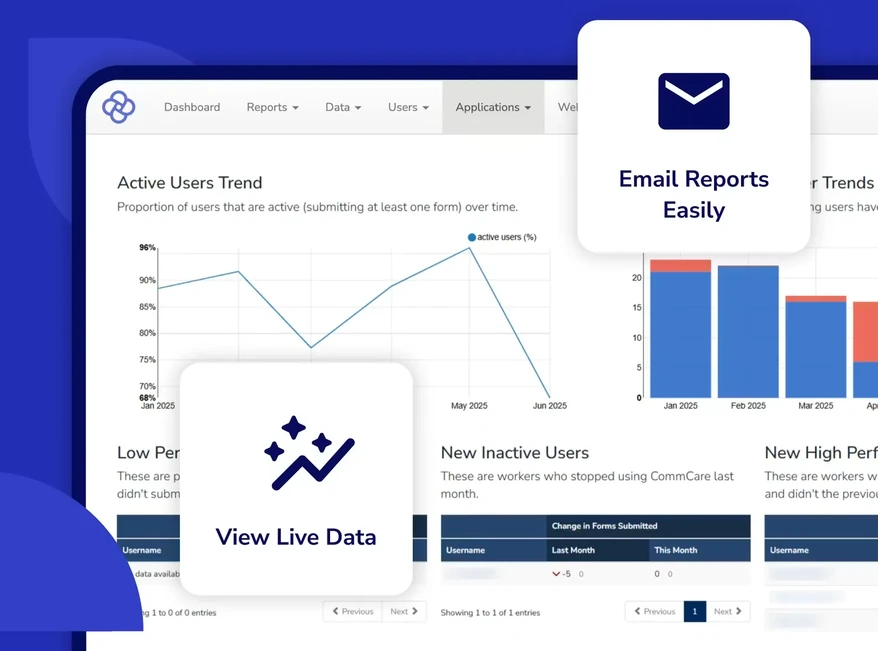
The CommCare dashboard turning field activity into visibility: an active-users trend chart, monthly bar charts, and live data tables for monitoring program performance
YOUR OPTIONS

Start with what’s built in, go as far as you need

Every project ships with reporting on day one. From there you can build your own reports, feed a live dashboard, or load the whole dataset into a warehouse.

Ready out of the boxMore technical
Built-in ReportsActivity, performance, and case reports, ready to open
Report BuilderYour own indicators, filters, and charts, no code
Exports & FeedsExcel downloads, or a live feed into Power BI and Tableau
Your WarehouseMillions of rows, refreshed incrementally into a database
HOW IT WORKS

See it, take it, or connect it live

Three ways program data leaves the field and reaches a decision. Most teams use all three: a dashboard for the daily check, an export for the funder, a live feed for the analyst.

Which one fits your data?

What works at a thousand rows breaks at a million. Two questions decide your setup: how the data leaves CommCare, and how much of the analysis is automated.

MethodWorks well up toWhat you need
Emailed reportsSmall datasetsNothing. A saved report lands in the inbox on a schedule you set.
Data exports50,000 rowsExcel. Export form or case data on demand, with filters saved for next time.
Daily saved exports100,000 rowsExcel. The file refreshes every 24 hours, so the link you share stays current.
OData feeds500,000 rowsPower BI or Tableau Desktop. A live connection, so the dashboard refreshes itself.
Data Export ToolA million rows and upPython, a database, and someone comfortable on the command line. Refreshes incrementally and feeds business intelligence tools.

Once a project passes about 50,000 rows, it is worth revisiting both questions. Teams running large datasets usually graduate from downloads to a live feed. See the full comparison on the CommCare Help Site, or explore integrations.

PARTNER STORY · THE COFFEE GARDENS · JUL 2026
4,000Kilograms of coffee
flagged in real time

A theft spotted the moment it happened

The Coffee Gardens tracks more than 1,000 smallholder coffee farmers in Uganda, from the washing station to final export. When stock went missing from a warehouse, real-time submissions checked against the team’s own algorithms flagged the discrepancy immediately, and because they saw it right away they could act right away: a full insurance payout, innocent staff cleared, a community-wide deterrent set.

“The tools you’re using can warn you that there are gaps, but you have to follow up to solve those gaps immediately. You have to be checking the data daily.”

Shakeel Padamsey, Co-Founder, The Coffee Gardens
Read the case study ↗
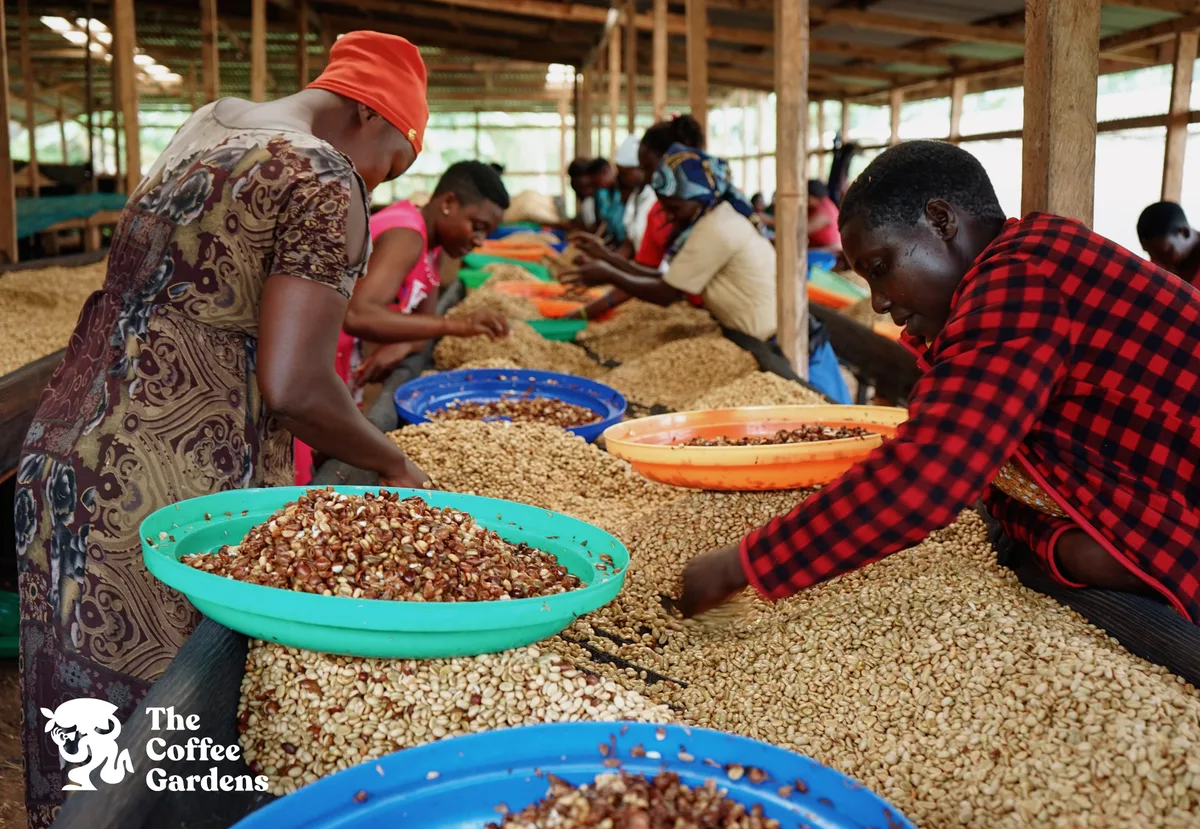
Workers sorting coffee cherries at a Coffee Gardens washing station in Uganda
DATA QUALITY

Records you can actually trust

A dashboard is only as honest as the data underneath it. CommCare gives program staff the tools to correct records themselves, without filing a ticket.

Correct

Clean Case Data

Find a case in the Case List report, open it, and edit its properties directly. Typos and mis-taps get fixed at the source, so every report downstream picks up the correction.

Documentation →
At scale

Bulk case editing

When the same mistake repeats across hundreds of records, update them together in one pass instead of opening each case one at a time.

Documentation →
Deduplicate

Case deduplication

Configure your own rules for what counts as a duplicate, review the matches in the Case List Explorer, then merge, archive, or delete. Your beneficiary counts stop double counting.

Documentation →
Exclude

Archive forms

Test submissions and known-bad forms can be archived so they drop out of reports and exports, and restored later if you need the audit trail.

Documentation →
Scope

Report & export filters

Limit any report or export by mobile worker, case sharing group, location, or date range, and the filter sticks the next time you run it.

Documentation →
Learn

Data cleaning, start to finish

A walkthrough of how program teams find, fix, and prevent bad data in CommCare, from validation in the form to cleanup in the report.

Watch the webinar →
COMMON QUESTIONS

Dashboards & reporting FAQs

Reports & Dashboards

Do I need a developer to build a report in CommCare?
No. Report Builder lets anyone with access to the reports section build a web report from their own form and case data. You pick a data source, choose indicators and filters, and add a bar or pie chart, all without writing code.
What reports come built in?
Every project starts with a set of pre-configured reports, including Worker Activity, Daily Form Activity, Submissions by Form, Form Completion Time, Case Activity, Form Completion vs. Submission Trends, and Worker Activity Times, plus the Project Performance Dashboard for active and performing users.
Can reports be emailed to my team automatically?
Yes. You can save a report with its filters already applied and schedule it to send on a recurring basis, so supervisors and funders get the same view without logging in.

Exports & Data Quality

Can I connect CommCare to Power BI or Tableau?
Yes. OData feeds expose your form and case data over a standard web protocol that Power BI and Tableau read directly, so your dashboard refreshes against live project data instead of a stale download.
How much data can I export at once?
It depends on the method. Standard exports suit datasets up to about 50,000 rows and daily saved exports up to about 100,000. OData feeds handle up to about 500,000 rows, and the CommCare Data Export Tool loads a million rows or more into a database for business intelligence tools.
Can I fix bad data after it has been submitted?
Yes. Clean Case Data lets you correct case properties from the case detail page, a bulk editing interface updates many cases at once, case deduplication finds duplicates using rules you configure, and forms can be archived so they drop out of reports and exports.
GET IN TOUCH

See your program as it happens

Get in Touch