Enterprise  /  Centralization Playbook

The Ultimate Four-Step Guide to Centralizing Digital Data Collection

Drawing from real-world examples and best practices, a four-step process to centralize digital tools within your social impact organization.

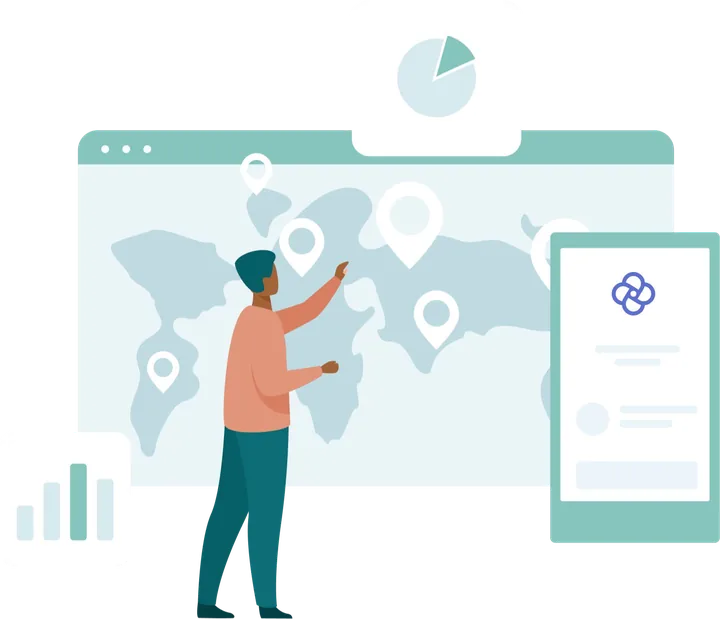
Illustration of a person collecting data on a world-map dashboard with charts and location pins

Overview

Drawing from real-world examples and best practices, this playbook lays out a four-step process to centralize digital tools within your social impact organization.

Most social impact organizations recognize the critical need for real-time, actionable data to thrive in today’s fast-paced world. Digital tools used for data collection, service delivery, and analysis enable organizations to gather cleaner data more quickly and efficiently, and better drive their program outcomes.

Organizations commonly grant each project team, regional office, or country office the autonomy to select the tools best suited to their specific needs, prioritizing four key factors: budget, existing knowledge and skills, donor technical requirements, and project workflow requirements.

While consideration of these factors are crucial, challenges often arise when different projects or offices procure their own tools based on their own interpretation and priorities around these four requirements. It may seem initially advantageous to an organization to allow each of their offices and projects to select their own tools tailored to specific needs and staff skill sets, however the autonomy granted by decentralized procurement often results in inefficiencies, such as various projects utilizing over 10 different tools for similar tasks. You may find that consideration of a more centralized approach to streamline digital tool selection, and enhance overall organizational efficiency, may align better with your strategic goals.

Many social impact organizations have made this transition, and while it is neither swift nor seamless, this playbook details some of the necessary steps to succeed. Your organization will be investing in so much more than a technology. They will be investing in a change management process that aims to create a catalytic shift toward accurate and accessible data.


Why centralize?

Organizations unlock several benefits by centralizing their digital tools, while still allowing individual project teams to maintain freedom in customizing digital applications and surveys.

Illustration of two people fitting puzzle pieces together
1Reduced costs

Procuring software on a project-by-project basis often incurs higher costs than bulk acquisition of tools. Each project must contend with variations in pricing models, which results in unexpected expenses. Integration with additional tools, such as BI tools or SMS gateways, may also introduce additional costs, potentially making seemingly “cheap” options expensive at scale.

Bulk purchasing can lead to substantial economies of scale and discounts, allowing project teams to select premium tools at lower costs.

2Greater efficiencies

By deciding on different tools, individual project teams waste time on duplicating processes, such as tool selection, pricing, and contract negotiations. Furthermore, project teams aren’t able to take advantage of inter-team learning and upskilling. This approach also requires headquarters teams to build expertise in a variety of tools, decreasing their ability to effectively support problems.

With a central tool, users can speedily jump into and derive value from tools through better support and a coordinated community of practice, while readily sharing insights across teams.

3Increased quality

When data is collected across various software platforms with diverse applications or survey tools, ensuring the reliability and cleanliness of the collected data becomes impossible. The use of different tools across projects limits the global monitoring teams’ ability to easily access standardized data aggregated from all projects simultaneously.

By using a shared digital tool, data experts can better control, coordinate, and manage data indicators and reports, leading to greater value.

4Tighter security

Ensuring compliance with stringent data security and privacy standards (e.g., HIPAA and GDPR) becomes increasingly challenging when multiple tools are concurrently employed, making it difficult to guarantee adherence to these requirements.

A central tool can ensure that all regional and country offices and projects adhere to the highest standards of data protection set out by headquarters.

The four steps

Centralization is a change management process, not just a procurement decision.

Illustration of a diverse group of people raising their hands
1

Build a task force

Secure buy-in across the entire organization, from regional and country offices to senior leadership.

For the implementation of an organization-wide digital tool, securing buy-in across the entire organization, from regional and country offices to senior leadership, is critical. This is more than a procurement or digital tool change, it is a change management process that needs to be handled carefully and will take time and effort.

It is important to build a compelling case with the organization’s leadership, convincing them why they should embrace centralization. Transitioning to a new tool will require time, effort, and energy, so everyone needs to see the value and be fully committed to the process.

To ensure success, assemble a multidisciplinary task force with the expertise and management backing, willing to roll up their sleeves and dive into the work. The task force may include members from monitoring, programs, IT, communications, and ICT4D/digital teams, promoting collaborative efforts to assess the extent of misalignment across various platforms and identify streamlined solutions.

The task force’s first steps

  1. Define clear terms of reference

    Clearly articulate the task force’s mission, deliverables, and criteria for success. This should align with how the task force’s results will support the organization and each team.

  2. Demonstrate the value proposition

    The task force should effectively communicate the “what’s in it for me” for each major stakeholder. The selection of this tool should matter to everyone in every department throughout the organization.

One practitioner described how they framed the tool for each department:

Ensure you use the language for each department that is relevant to them when you communicate the tool. For example:

Monitoring & MEAL teams may use the tool as a support function for fulfilling donor requirements.

Business development teams manage proposal budgets which is the source of funding.

Procurement can create exceptions that allow integration of the tool into long-term agreements or create exceptions that prevent the necessity to frequently re-tender.

Sector leadership may want the data to understand how their division is successful within the programs. They may want a standardized tool to compare data across countries.

Communications teams need accurate reach data for external communications. Good data collection tools are critical so they can avoid double-counting.

Guidance from a centralization practitioner
Illustration of a person reviewing a world map of program data
2

Conduct a needs assessment

Understand every user’s role, frustrations, and priorities before you select anything.

Before selecting any software, understand your users’ roles, frustrations, and priorities. Introducing a tool without considering the teams that will use it is a recipe for failure.

Dig into challenges and wishes

Dedicate time to gain insights into the challenges users face and the features they want.

Keep users involved throughout

Maintain ongoing communication and involvement with users across the whole process.

Plan for 3, 5, and 10 years out

Think beyond today’s needs to what the organization will require in 3, 5, and 10 years.

Assess the organization’s readiness for a centralized tool too. Investigate whether previous attempts have been made to use a centralized tool and, if so, what led to their failure. Were there bottlenecks? Detractors? Engage with the individuals who were involved in those initiatives to understand the reasons, so you can anticipate potential roadblocks within the organization’s internal processes.

Decide who to engage

Understand the needs of staff at every level. A regional or country director’s requirements differ from a project-level administrator’s, which differ from a field worker’s. Consider each person’s team (monitoring, IT, digital, program delivery), their functional role (worker monitoring, data analysis, operations), and the level at which they operate (end-user, project, country, regional, or headquarters). Seek input from a diverse group of stakeholders.

Map out what you know and don’t know

Build a picture of the digital tools currently used across the organization. Online surveys are an efficient way to gauge satisfaction across the data lifecycle: collection, analysis, visualization, mapping, and result communication. Most task forces use the feedback to select a diverse group of users for focus groups or interviews, capturing both power users and those with limited or frustrating experiences.

By analyzing your surveys, focus groups, and interviews, you should be able to answer:

  • What tools are program teams already using for data collection, visualization, analysis, and communication?
  • What are the training requirements for programs, monitoring, IT, and digital staff?
  • What pain points and issues are associated with the current tools?
  • What aspects of the existing system are working well and should be retained?
  • What features does a global tool need to support regional and country offices and programs of all sizes?
  • What will you need from a tool in the next 3 years?

Share your final recommendation

Create a report for key decision-makers that outlines user pain points, offers clear recommendations, and highlights notable findings. Develop a requirements list with compliance, finance, IT, and procurement, so it feeds directly into tool selection in the next step.

One practitioner who led this work put the effort it takes into perspective:

Our organization undertook a similar project and estimated a total workload of approximately 200 hours with responsibilities such as program oversight, meeting coordination, white paper drafting, and editing, as well as extensive discussions and interviews spanning 12 countries. This sounds like a lot of work, and it is. But it’s essential to invest the time to do this right because the opportunity cost was much higher.

Guidance from a centralization practitioner
Illustration of two people shaking hands over secure shared systems
3

Select a partner & tool

Choose a provider and a contract that serve users at headquarters, regional, country, and project levels.

With problems and requirements identified, the next step is selecting the right technology provider to partner with and establishing a contract that seamlessly caters to the needs of users at headquarters, regional, country, and project levels.

Hold discussions with different teams

Finance, compliance, programs, business development, and procurement all need to weigh in on how a global tool gets funded and billed. Some organizations fund it centrally; others allocate cost to programs or regional and country teams. How it is classified (IT tool vs. program expense) varies by compliance and finance policy. Aligning on this early keeps the rollout smooth.

Identify potential technology providers

The vendor should be more than just a technology provider; they should be a true partner, willing to guide the organization throughout the process of integrating their tools. Look for a vendor with extensive experience at the enterprise level and a commitment to being a long-term partner, invested in meeting the organization’s institutional needs. There are three common ways to engage potential vendors:

Tender / RFP
Issue a request for proposals.

The RFP should meticulously outline your requirements and ask vendors to address each one comprehensively.

Consultant
Hire an evaluator.

A consultant leads an evaluation of existing solutions and delivers a final recommendation after extensive vendor discussions.

Interviews / demos
Request demos directly.

Ask whether the software meets your requirements, including budget, and compare offerings side by side.

Select your tool

Return to the research you’ve done and keep the main problems you want to solve front of mind. Use the same four benefits of centralization as your criteria:

CostAffordable at scale

Understand the costs of both the core tool and supplementary expenses such as data warehousing, BI integration, and self-hosting. Dimagi’s pricing calculator can help you estimate the software side.

EaseEasy to start

You’re selecting the entire support ecosystem, not just the technology. Review the support documentation and submit a ticket to test their support quality.

ScaleWorks at any size

The tool should serve projects of all sizes and adapt to different use cases. Can an app for community health workers in Ethiopia be localized in India? Third-party evaluations help.

SecurityNon-negotiable

Above all, the tool must be secure. Adherence to stringent standards is non-negotiable; verify with third-party certifications including HIPAA and SOC 2.

A practitioner described what choosing the right tool unlocked for their teams:

We selected a tool that worked for a global monitoring survey, across country offices. It allowed us to build the surveys ourselves rather than rely on a consultant, which had been significantly limiting. Now the country offices are rolling out the platform on an as-needed basis, when they have demand, the tool is ready and the learning resources are there for them to build their own apps and surveys.

Guidance from a centralization practitioner
Illustration of a person climbing a ladder up a rising bar chart toward a trophy
4

Roll out your tool

Scale the chosen tool internally with clear owners, support, and ongoing training.

To successfully scale up the chosen tool internally, recognize that this process takes time and effort. A few key steps keep the rollout smooth and effective.

Appoint a dedicated owner

Designate a primary point of contact for the provider. This owner fields inquiries and consolidates feedback, preventing redundant queries. Each regional or country office, or individual project, may also have its own application owner for localized support.

Establish a help desk

Give users a structured way to reach the application owner for help, via a dedicated Slack or Teams channel, an inbox, or regular check-ins. Owners should have KPIs tied to responding promptly and resolving issues.

Announce the new tool

Inform the whole organization about the shift from a project-based approach to the globally procured tool. Share its advantages and a reasonable timeline for offices to transition.

Designate office onboardings

Brief regional and country offices on how to secure accounts, how billing works, and any usage limits that could affect budget or usability.

Develop guidance materials

Written, video, and interactive materials should reflect your SOPs and data protection policies. Build them incrementally as adoption grows.

Conduct ongoing trainings

Hosted by the application owner and sometimes the provider, training should mix videos, webinars, documents, and in-person sessions. Include product owners from offices and projects who will cascade training to their teams.

One organization shared how the rollout played out over time:

Previously, new programs would approach HQ’s central data team when they wanted to use a centrally procured data collection tool. The central lead at HQ would build the app or survey for each project and request, which became unsustainable. There was no capacity building for how to use the tool at the country level, and poor data practices were built which then took longer to break (Excel exports, workarounds, etc). We reversed this by hosting weekly (and now monthly) sessions and developed over 50 hours of training on how to use the platform. It took 2.5 years. It’s not just a system, it’s a process, that is now saving time and leading to cleaner data.

Guidance from a centralization practitioner

Final thoughts

A significant investment, with incredible returns.

There is no question that centralization is a time-intensive effort. It will require up-front investment and time from across your organization to do it successfully. Yet while the initial period may take more time, it can have enormous, positive impacts on an organization, and save significant time down the road.

Although the steps outlined in this document may not be universally applicable to every organization, the general guidelines offer a foundational framework for an inclusive and thorough process of procuring a centralized digital tool.

Investing time in careful preparation and collaboration with your team from the outset will yield benefits in terms of efficiency, security, budgeting, and visibility. By involving global teams in the feedback, selection, and onboarding phases, you build their buy-in to the ultimately procured tool, transforming them into enthusiastic champions of its use.

Acknowledgements

This playbook builds on insights from a blog post written by Meri Ghorkhmazyan of Prosper Global (formerly Mercy Corps), adapting and expanding the content to offer a practical resource designed to support organizations on a similar journey. Additional contributors to this playbook are Amy Smith, Senior Director of Partnerships, and Erin Quinn, Senior Director of Customer Success at Dimagi, and Jamie Arkin, Consultant. Thank you to the CommCare users who shared their insights and feedback, contributing to the use cases and overall development of this playbook.

READY TO CENTRALIZE

Put this playbook into practice

Get in Touch