ROADMAP

The CommCare roadmap

What we’re building now, what starts next, and the ideas we’re exploring.

Updated October 26, 2026. Plans can change as we learn.

NOW

Building now

Features our team is developing today.

Big release · Coming soon

Translate apps with AI

Translate with AI fills in missing translations in your app. After you add a language, click AI Translate on the app’s Languages tab, and CommCare translates your menu and form names, case list and case detail labels, and form questions and choices from your default language. You then review the translations and release them in a new version of your app.

  • It never changes a translation your team wrote or corrected
  • CommCare checks each translation and skips any that would change formatting, links or question references
  • Only your app’s text goes to the AI model, never form submissions, case data or information about your users
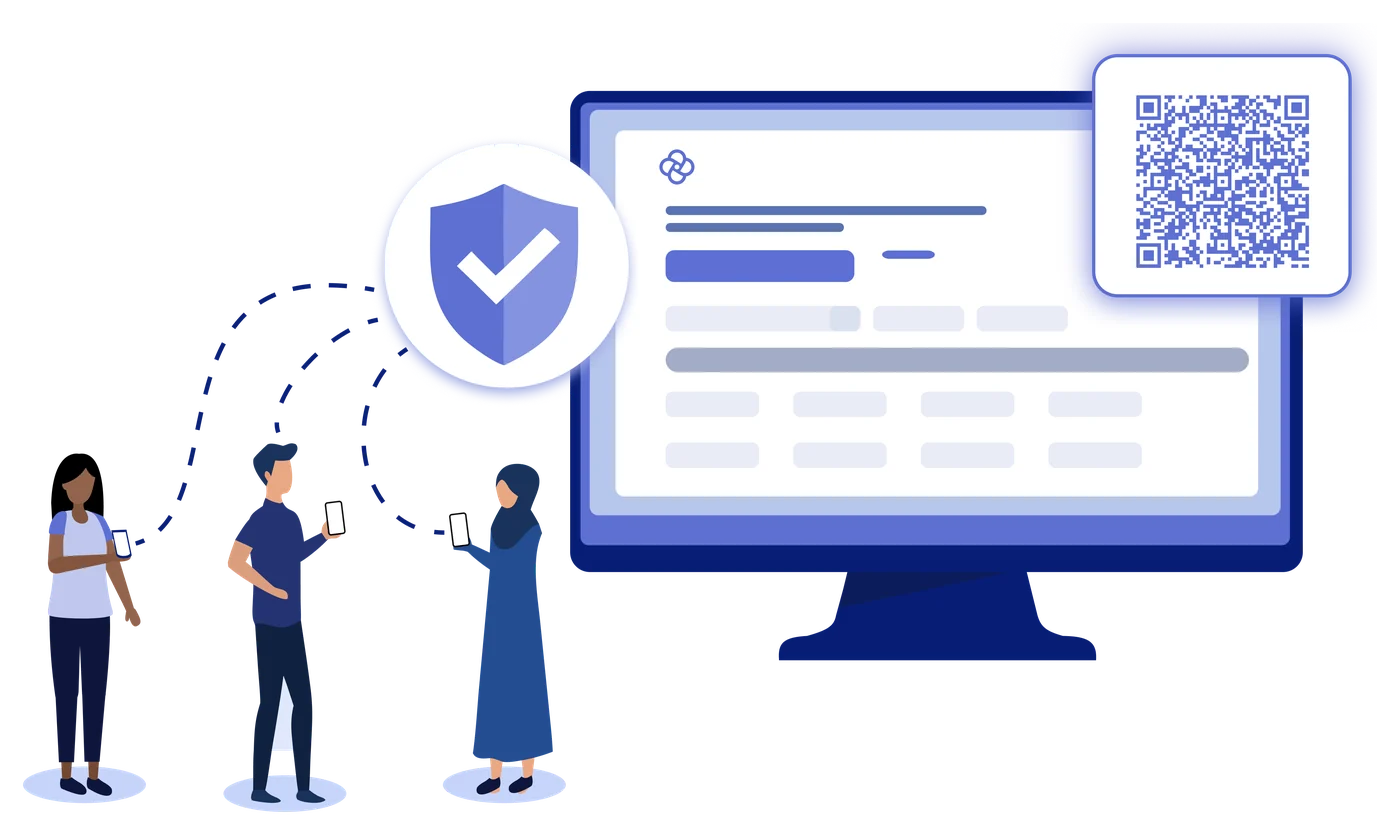
People registering through a form on a screen with a QR codeBig release · Coming soon

Public Webforms

Public Webforms let people outside your project fill out a registration or survey form from your CommCare app in a web browser. A clinic can put a QR code in its waiting room so patients can register themselves, or a program can send a feedback survey link to the people it serves.

  • You choose when a form stops accepting responses, and you can close or reopen it at any time
Big release · Coming soon

Next-generation data pipeline

As your data grows, you need CommCare to work with your reporting tools and data warehouses. The CommCare Data Pipeline automatically and continuously mirrors your CommCare data into a standard database, giving you a real-time, analysis-ready copy without manual exports. It is also the foundation for a secure, AI-powered experience with your data.

  • A live copy of your data that stays up to date on its own, with no manual exports
  • Connect reporting tools such as Power BI or Tableau straight to it
  • Full control of your data for long-term warehousing and advanced analysis, while CommCare itself stays fast
Big release · Coming soon

Template Application Library

With smaller teams, starting from a blank canvas can limit what organizations take on. The Template Application Library gives you proven, customizable foundations, so it’s faster to build new apps and start new use cases without rebuilding from scratch.

  • Browse ready-made apps, built by Dimagi, right in CommCare HQ
  • Templates are organized by sector, and each one describes what the app does
  • Copy a template into your project and customize it for your program
Building nowBig releaseStandard plan and above
2026 priority: AI workflows

Translate apps with AI

Add a language to your app without translating it line by line.

Translate with AI fills in missing translations in your app. After you add a language, click AI Translate on the app’s Languages tab, and CommCare translates your menu and form names, case list and case detail labels, and form questions and choices from your default language. You then review the translations and release them in a new version of your app.

Built to keep your app and your data safe

  • It never changes a translation your team wrote or corrected.
  • CommCare checks each translation and skips any that would change formatting, links or question references.
  • Only your app’s text goes to the AI model, never form submissions, case data or information about your users.
  • Review and edit the translations in the Form Builder or with Bulk Application Translations.

Want to know more, or see if this fits your program?

Get in Touch
Building nowBig releaseAdvanced plan and above

Public Webforms

Let anyone fill out your form, no CommCare account needed.

People registering through a form on a screen with a QR code

Public Webforms let people outside your project fill out a registration or survey form from your CommCare app in a web browser. A clinic can put a QR code in its waiting room so patients can register themselves, or a program can send a feedback survey link to the people it serves.

How it works

  1. PublishPublish a registration or survey form to a public link.
  2. ShareShare the link or its QR code by email, text message, on a website or on a printed poster.
  3. RespondEach respondent requests a one-time link by email or text message, good for one submission.
  4. CollectEvery submission saves to your project, and each registration creates a new case.
  • You choose when a form stops accepting responses, and you can close or reopen it at any time.

Want to know more, or see if this fits your program?

Get in Touch
Building nowBig releaseAll plans
2026 priority: a new data pipeline

Next-generation data pipeline

Act on your data in the tools you already use.

As your data grows, you need CommCare to work with your reporting tools and data warehouses. The CommCare Data Pipeline automatically and continuously mirrors your CommCare data into a standard database, giving you a real-time, analysis-ready copy without manual exports. It is also the foundation for a secure, AI-powered experience with your data.

What it gives you

  • A live copy of your data that stays up to date on its own, with no manual exports.
  • Connect reporting tools such as Power BI or Tableau straight to it.
  • Full control of your data for long-term warehousing and advanced analysis, while CommCare itself stays fast.
  • Individuals and small teams can install it as an app on Windows, Mac or Linux.

Want to know more, or see if this fits your program?

Get in Touch
Building nowBig releaseAdvanced plan and above
2026 priority: an app library

Template Application Library

Start from a proven app, not a blank canvas.

With smaller teams, starting from a blank canvas can limit what organizations take on. The Template Application Library gives you proven, customizable foundations, so it’s faster to build new apps and start new use cases without rebuilding from scratch.

How it works

  • Browse ready-made apps, built by Dimagi, right in CommCare HQ.
  • Templates are organized by sector, and each one describes what the app does.
  • Copy a template into your project and customize it for your program.
  • Use templates to learn CommCare, start a new use case, or speed up an existing program.

Want to know more, or see if this fits your program?

Get in Touch
NEXT

Up next

What we start once the work above ships.

Big release

Enable AI Based Application Building with a CommCare MCP

A CommCare MCP server and new APIs will let you connect AI agents such as Claude, ChatGPT or Gemini to CommCare and work with CommCare from inside those tools. It shortens the path from an idea to a working app, so teams save valuable time.

  • Ask an AI agent to help you design and build a CommCare app
  • Explore your projects by asking questions in plain language
  • Work with CommCare from the AI tool your team already uses, instead of switching between them
Big release

Global Indicators: linked apps with locked questions

One app, pushed from HQ to every country’s project space. The core questions and indicators are locked, so your data model holds everywhere, and local teams build on top of it instead of around it. Global data standards meet local flexibility.

  • Build upstream
  • Lock the core
  • Push everywhere

Self-service subscription add-ons

Today, adding an add-on to a CommCare subscription, such as extra OData feeds, means contacting the Dimagi team.

Self-service two-factor authentication reset

Today, a user who loses access to their two-factor authentication device writes in to Support, and Support verifies the user's identity before resetting two-factor authentication.

Up nextBig releasePro plan and above
2026 priority: AI workflows

Enable AI Based Application Building with a CommCare MCP

Build apps and explore your projects with the AI tools you already use.

A CommCare MCP server and new APIs will let you connect AI agents such as Claude, ChatGPT or Gemini to CommCare and work with CommCare from inside those tools. It shortens the path from an idea to a working app, so teams save valuable time.

What you’ll be able to do

  • Ask an AI agent to help you design and build a CommCare app.
  • Explore your projects by asking questions in plain language.
  • Work with CommCare from the AI tool your team already uses, instead of switching between them.

Want to know more, or see if this fits your program?

Get in Touch
Up nextBig releaseAdvanced plan and above
Expected major release

Global Indicators: linked apps with locked questions

Lock what needs to stay the same. Let every country add what it needs.

One app, pushed from HQ to every country’s project space. The core questions and indicators are locked, so your data model holds everywhere, and local teams build on top of it instead of around it. Global data standards meet local flexibility.

How it works

  1. Build upstreamHQ designs the app once, in its own project space.
  2. Lock the coreChoose the questions that define your data model and indicators.
  3. Push everywhereRelease to every downstream project space with Enterprise Release Management. Future updates follow.
  4. LocalizeCountry teams add what they need. Locked parts stay locked.

Example: one household health app, three countries

HQ appHousehold Health App
  • Household registration
  • Children under 5
  • Pregnancy care
KenyaGlobal core+ Additional Ministry of Health indicators
IndiaGlobal core+ Air quality screening
HondurasGlobal core+ Diabetes testing and care

Built for

Program localizationRun the same program across the globe from one core app, and let local teams add content.
Global indicator collectionKeep sector apps with your indicators built in, so every new project reports them exactly the same way.

What each team gets

HQA guarantee, not a guideline. No one downstream can change a locked question, by accident or on purpose. Update once, release everywhere.
Country teamsFreedom to add questions and forms to their app without waiting on approvals from HQ.

Builds on Locked Questions and Enterprise Release Management.

We’re designing Global Indicators with partners now.

Get in Touch
Up next

Self-service subscription add-ons

Today, adding an add-on to a CommCare subscription, such as extra OData feeds, means contacting the Dimagi team. With this change, you will be able to add subscription add-ons to your plan yourself from CommCare HQ. The current add-ons are listed on the CommCare Pricing Overview help page.

Want to know more, or see if this fits your program?

Get in Touch
Up next

Self-service two-factor authentication reset

Today, a user who loses access to their two-factor authentication device writes in to Support, and Support verifies the user's identity before resetting two-factor authentication. With this change, users will be able to reset two-factor authentication for their own account from CommCare HQ, without waiting on Support. Two-factor authentication setup is covered on the Setting up Two-Factor Authentication help page, and the current reset process is on the Troubleshooting Two Factor Authentication Issues help page.

Want to know more, or see if this fits your program?

Get in Touch
SHAPE WHAT’S NEXT

Tell us what your team needs

Join a short research session and give feedback on features before they ship.

Inform the roadmap
LATER

Ideas we’re exploring

Ideas under consideration. None are scheduled yet, and your feedback helps decide which move forward.

43 ideas
Apps, forms and mobile

Show End of Form navigation in the interactive App Summary

AI

AI-Enabled Background Audio Recording

Data and integrations

Improvements to In-Product Bulk Editing of Form Data

Administration and security

Expand and build on top of the Enterprise Console

Data and integrations

Make DHIS2 Integration more accessible

Case management

In Line Editing of Cases in the Case List Explorer

Data and integrations

Improved Report Builder

Case management

Multiple Dynamic Case Search Criteria in the Case List

Data and integrations

Build out further support for the MSForms Workflows

ExploringAll plans

Show End of Form navigation in the interactive App Summary

Display End of Form navigation details, including the navigation condition and destination, alongside each form in the interactive App Summary. Today this information is available in the downloadable high-level summary spreadsheet; showing it inline in the interactive view makes it easier to review and debug form navigation logic in large applications.

Want to know more, or see if this fits your program?

Get in Touch

AI-Enabled Background Audio Recording

Allow forms to be configured with AI-enabled background audio capture for quality monitoring, including built-in, automatic consent tracking.

Want to know more, or see if this fits your program?

Get in Touch

Improvements to In-Product Bulk Editing of Form Data

Add in-product tools for editing form data in bulk within CommCare HQ. Editing many form submissions at once is difficult today, especially with large volumes of submissions or complex changes, and these tools would make it faster and easier to update form submissions.

Want to know more, or see if this fits your program?

Get in Touch

Expand and build on top of the Enterprise Console

Add useful capabilities to the Enterprise Console, including usage analytics and views of high-performing apps and users across all project spaces in an Enterprise account.

Want to know more, or see if this fits your program?

Get in Touch
Exploring

Make DHIS2 Integration more accessible

Make the existing DHIS2 integration easier to set up and use, lowering the technical effort required to connect CommCare data to DHIS2.

Want to know more, or see if this fits your program?

Get in Touch
Exploring

In Line Editing of Cases in the Case List Explorer

Allow users to edit case data inline, directly within the Case List Explorer, without opening each case separately.

Want to know more, or see if this fits your program?

Get in Touch
Exploring

Improved Report Builder

Build a next-generation version of the Report Builder in CommCare HQ.

Want to know more, or see if this fits your program?

Get in Touch
Exploring

Multiple Dynamic Case Search Criteria in the Case List

Allow searching by multiple criteria at once on the Case Search and Case List screen.

Want to know more, or see if this fits your program?

Get in Touch
Exploring

Build out further support for the MSForms Workflows

Expand support for Microsoft Forms workflows, building on the existing integration to cover more use cases.

Want to know more, or see if this fits your program?

Get in Touch
Exploring

Add the ability to share apps in the Enterprise Console

Allow administrators to share applications across project spaces from within the Enterprise Console.

Want to know more, or see if this fits your program?

Get in Touch
Exploring

Integrate Stata .do files into CommCare HQ

Add the ability to extract forms and cases in Stata .do file format, so researchers can move CommCare data into Stata more easily.

Want to know more, or see if this fits your program?

Get in Touch
Exploring

Build enhanced geospatial capabilities in the Case Search screen

Add enhanced geospatial capabilities to the Case Search screen, such as searching and filtering cases by location or proximity and viewing results on a map.

Want to know more, or see if this fits your program?

Get in Touch
Exploring

Turnkey Integration with Google Sheets

Provide a turnkey, out-of-the-box integration between CommCare and Google Sheets, so teams can move CommCare data into Google Sheets without custom development or external middleware.

Want to know more, or see if this fits your program?

Get in Touch
Exploring

Search within form exports

Add the ability to search within form exports, making it easier to find what you need among many exports.

Want to know more, or see if this fits your program?

Get in Touch
Exploring

Download images

Provide a way to download images captured during data collection, for example a direct link to each image. Today they can only be accessed through the data export.

Want to know more, or see if this fits your program?

Get in Touch
Exploring

Pause data collection

Add a way to pause or disable data collection for a specific form from CommCare HQ, so that once mobile workers sync they can no longer submit that form.

Want to know more, or see if this fits your program?

Get in Touch
Exploring

Add an option to capture geotagged images

Allow capturing geotagged photos within a form. Some programs require geotagged images; for example, a recent reforestation contract requires geotagged photos during monitoring surveys.

Want to know more, or see if this fits your program?

Get in Touch
Exploring

Option to reopen a case

Add an option to reopen a closed case. For example, when tracking a patient who has recovered, the case is closed; if the patient becomes ill again, there is currently no way to reopen it.

Want to know more, or see if this fits your program?

Get in Touch
Exploring

Enterprise Report Improvements

Add the following to the Enterprise Console.

Project spaces:

  • Number of case types
  • Number of case types with active cases
  • Total active cases

Mobile workers:

  • Location assignment

Data exports:

  • Last exported date

The idea also includes a new console report that shows information about the applications created.

Want to know more, or see if this fits your program?

Get in Touch
Exploring

Growth chart integration

CommCare already supports anthropometry measurements. This idea would add the ability to plot height and weight data on a growth chart directly within CommCare.

Want to know more, or see if this fits your program?

Get in Touch
Exploring

Make the Messaging Dashboard accessible to location-restricted users

The Messaging Dashboard is currently unavailable to users with location restrictions, yet the roles and permissions page still lists "messaging" as an option even when "access all locations" is not selected. That mismatch is confusing because it implies access that does not exist. Enable access for location-restricted users with proper location-based filtering, so they can review the messaging data relevant to them without exceeding their permissions.

Want to know more, or see if this fits your program?

Get in Touch
Exploring

Add detail to List Applications API

Add help text, hint text, and question-label references to the output of the List Applications API. For label references: if a Label question reads "You responded {X} to the previous question," where {X} references another question, the Application Structure API currently shows "You responded ___ to the previous question," so you cannot tell which question is referenced. In the XForm this appears as an output tag such as <output value="/data/referenced_question" ... />. The API output should make that reference visible.

Want to know more, or see if this fits your program?

Get in Touch
Exploring

Make web user permissions for managing mobile workers more granular

Make permissions for managing mobile worker accounts more granular. Today, any web user with permission to create mobile workers can also edit those workers, including their passwords, and vice versa. This idea would separate those permissions so account creation and account editing can be granted independently.

Want to know more, or see if this fits your program?

Get in Touch
Exploring

Extend the Worker Activity Report to monitor web users

Extend the Worker Activity Report so admins can track web user activity the same way it tracks mobile workers. In particular, log edits and updates made to applications in the App Builder and App Manager, capturing each change even when the user does not create a new version after saving. Example entries: "Added questions a, b, c" or "Updated the XPath expression in a Hidden Value question." This would give better visibility into changes made to applications over time.

Want to know more, or see if this fits your program?

Get in Touch
Exploring

Edit the suggested question ID in the form builder before saving

In the form builder, the Question ID is auto-suggested from the Display Text. For example, "Enter the number of blue turtles in your pond:" becomes enter_the_number_of_blue_turtles_in_your_pond. Today, to set a different ID you must type over the suggestion, or save the question, move away, return, and edit it. App builders should be able to edit the suggested ID directly before saving.

Want to know more, or see if this fits your program?

Get in Touch
Exploring

Add a Contact Support link to the password reset screen

Users who get stuck during a password reset have no clear way to reach Support from the password reset screen. Add a line below the existing message on that screen, "Still having trouble? Contact Support," that links to the support portal, so users have a direct path to help.

Want to know more, or see if this fits your program?

Get in Touch
Exploring

Introduce Role-Based Access for Integration Settings in CommCare

Today, setting up and managing integrations in a CommCare project space is restricted to users with the Admin role. This creates friction for customers who need finer-grained permissions without granting full Admin rights. Introduce role-based access for integration settings so users can manage integrations without Admin permissions.

Want to know more, or see if this fits your program?

Get in Touch
ExploringAll plans

Improvements to the UI / UX for the Organizations feature

Improve the interface and user experience of the Organizations feature, making it easier to navigate and manage organizations.

Want to know more, or see if this fits your program?

Get in Touch
Exploring

Alert project admins when email errors rise above a certain threshold

Let a project admin set an email address that receives alerts when errors from the CommCare messaging framework exceed a threshold, so admins do not have to proactively monitor the messaging error report.

Want to know more, or see if this fits your program?

Get in Touch
Exploring

Audit log of web user activity

Provide an audit log that records what web users do in CommCare HQ: who created or modified forms, applications, modules, lookup tables, locations, groups, and users, and when. This would make it possible to review and trace web user activity.

Want to know more, or see if this fits your program?

Get in Touch
Exploring

In-form navigation controls at the bottom of the survey screen

Add in-form navigation controls at the bottom of the survey screen so mobile app users can move between questions from there. Today users swipe or use the Next and Back arrows at the top of the screen; a bottom option would improve usability, especially on smaller screens.

Want to know more, or see if this fits your program?

Get in Touch
Exploring

Security settings: support for different session timeout lengths

Allow project admins to configure the session timeout length to balance usability and security. Today the only options are the default (2 weeks) or "shorten activity timeout" (30 minutes). The 30-minute option created enough friction that some teams rolled it back. A configurable middle ground, such as around one working day (8 hours), would help. Whether this is a preset option or a freely configurable number of hours does not matter.

Want to know more, or see if this fits your program?

Get in Touch
Exploring

Sort lookup tables alphabetically, or make them sortable

On the Manage Lookup Tables page, lookup tables are not sorted alphabetically. Many project spaces accumulate a large and growing number of lookup tables with no meaningful order. Sorting them alphabetically by default, or making the list sortable, would make tables easier to manage and help avoid creating duplicates.

Want to know more, or see if this fits your program?

Get in Touch
Exploring

Matrix-type questions

Add a matrix-type question to the form builder so a single question can collect responses in a grid of rows and columns, capturing answers for multiple variables in one table.

Want to know more, or see if this fits your program?

Get in Touch
Exploring

Separate permission for bulk data editing

Today, bulk data editing requires a user to have both "Full Organizational Access" and "Data" permissions, which are tied to other CommCare functionality. Bulk data editing should have its own permission setting so it can be granted independently.

Want to know more, or see if this fits your program?

Get in Touch
Exploring

Movable CommCare Companion Icon

Let users move the CommCare Companion (AI assistant) icon from its default position. The icon sometimes overlaps controls users need. For example, in Edge at 125% zoom with the app preview open, the icon sits in front of the "Data preview" control, forcing a zoom change to reach it.

Want to know more, or see if this fits your program?

Get in Touch
Exploring

Access parent case properties and reassign parents in Bulk Edit Case Data

The Bulk Edit Case Data feature currently cannot reference parent case properties in its filters. For example, you cannot filter cases by the parent ID or by a property updated on the parent case, such as parent/duplicate. It is also not possible to change a case's parent within the tool, for example reassigning a duplicate patient's child "appointment" cases to the case kept as the original. Parent/child relationships can already be updated through bulk upload, so building this into the in-product tool would save significant time and reduce copy-paste and drag-down errors in Excel.

Want to know more, or see if this fits your program?

Get in Touch
Exploring

Show parent case properties as columns in the Case List Explorer

In the Case List Explorer you can filter on parent case properties but cannot display them as columns in the report. For example, you can filter "visit" child cases by the parent "patient" property parent/gender, but you cannot show other parent properties you care about, such as parent/age, as columns. Teams use the Case List Explorer to filter data for export and further analysis, and the missing parent properties make that process slower and more frustrating.

Want to know more, or see if this fits your program?

Get in Touch
Exploring

Transcription and Translation in Local Languages

Transcribe and translate long, open-ended qualitative responses, for example from key informant interviews or focus group discussions, in local languages such as Bambara, Hausa, and Fulani, alongside well-resourced languages. Today, capturing the audio, transcribing it, and translating it takes so long that teams cannot adjust processes or programs quickly. A built-in capability would enable rapid feedback to enumerators and faster understanding of programs. The capability must also keep the responses secure inside CommCare.

Want to know more, or see if this fits your program?

Get in Touch
Exploring

Multi-select case selection in case lists

Allow case workers to select multiple cases at once from a case list and apply the same follow-up form to all of them. Field teams often work with groups of beneficiaries at the same time, such as during sessions, workshops, or community events, and today each participant must be selected individually to submit the same form repeatedly. Multi-select would speed up session-based data entry, improve the accuracy and completeness of attendance and follow-up records, and reduce duplicated effort. It is especially useful for group-based or curriculum-based programs.

Want to know more, or see if this fits your program?

Get in Touch
Exploring

Display conditions for choices

Add a display-condition option for individual multiple-choice options, similar to the display condition already available at the question level. This would let app builders conditionally hide specific choices based on logic, for example when a choice is not always relevant.

Want to know more, or see if this fits your program?

Get in Touch
Exploring

Accessibility improvements: WCAG 2.2 compliance

Bring CommCare HQ in line with the WCAG 2.2 AA accessibility standard, starting with the login page, so that people who use screen readers or navigate with a keyboard can use every page of CommCare HQ.

  • Label every form field and announce error messages, so screen readers can read them.
  • Make every control reachable and usable with a keyboard.
  • Apply the same fixes across the rest of CommCare HQ, and add automated accessibility testing so new pages meet the standard.

Want to know more, or see if this fits your program?

Get in Touch
Exploring

Thousand separators in numeric input fields

Display thousand separators (for example, 1,000 instead of 1000) in numeric and currency input fields. When collecting financial data, separators help mobile workers see the size of a number at a glance and reduce errors such as entering an extra zero.

Want to know more, or see if this fits your program?

Get in Touch
LET’S TALK

Have questions about the roadmap?
